
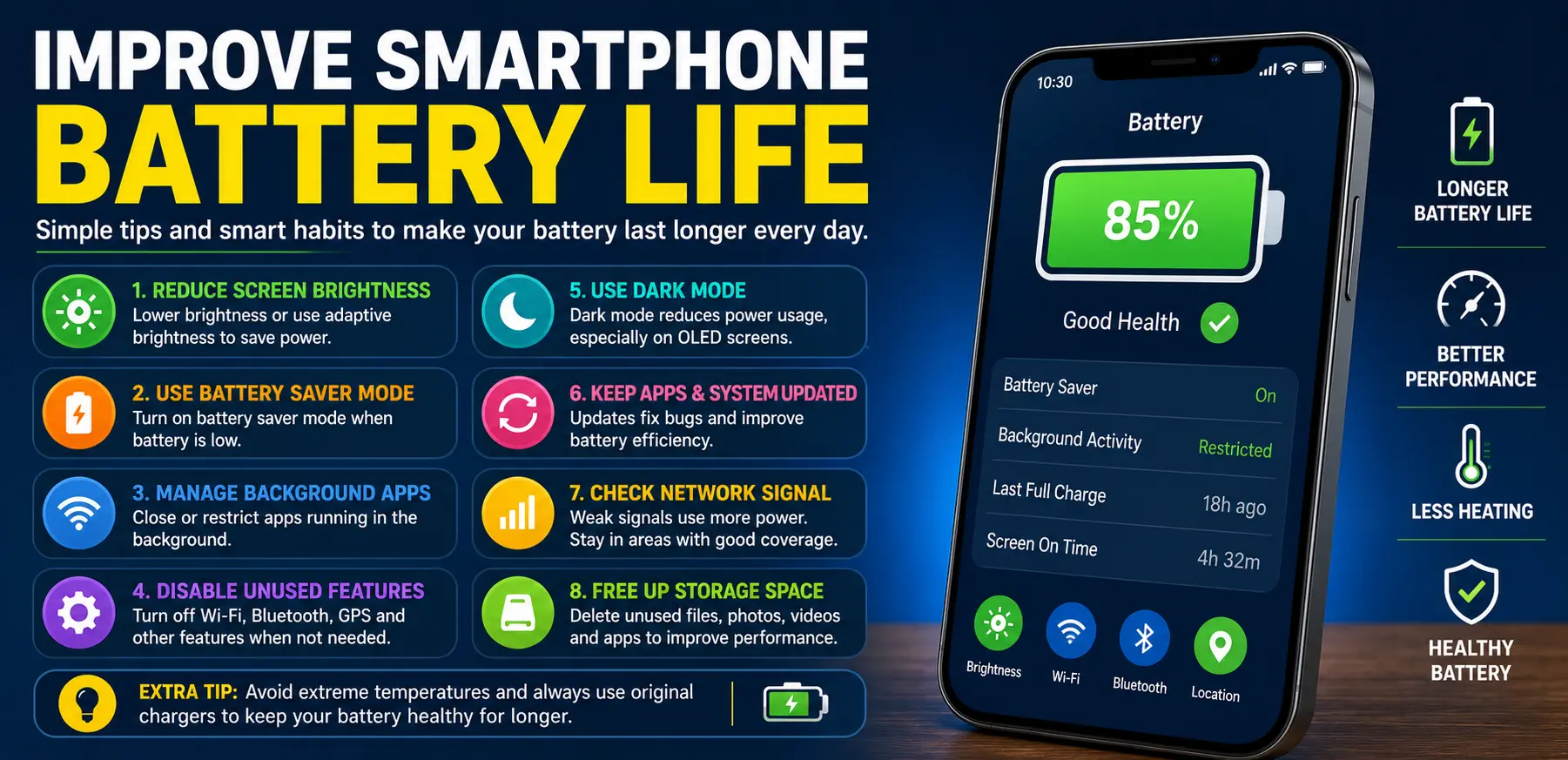
Introduction
A slow phone and poor battery life can make even simple tasks frustrating. Apps take longer to open, videos start lagging, and the battery drains before the day ends. Whether you use your phone for work, gaming, social media, or online classes, performance problems affect daily life more than most people realize.
For More Solutions Visit
Many users assume they need to buy a new device when their phone starts slowing down. In reality, small software issues, background apps, poor charging habits, and overloaded storage are often the real reasons behind weak performance and fast battery drain.
The good news is that most of these problems can be fixed without spending money. With the right settings and maintenance habits, you can improve battery life, speed up your phone, and make it run more smoothly for a longer time.
This guide covers practical battery & mobile performance tips that actually work for both Android and iPhone users.
Main Causes of Battery and Performance Problems
1. Too Many Background Apps
Many apps continue running even after you close them. These apps use RAM, battery power, and internet data in the background. Social media apps, location-based apps, and messaging services are common examples.
When too many apps stay active, your phone works harder, which slows performance and drains the battery faster.
2. Low Storage Space
Phones need free storage space to operate smoothly. If your device storage is almost full, apps may freeze, updates can fail, and the system may become sluggish.
Photos, videos, downloaded files, and unused apps are usually the biggest storage consumers.
3. High Screen Brightness and Refresh Rate
The display is one of the biggest battery users on any smartphone. Keeping brightness at maximum or using high refresh rate settings constantly can reduce battery life quickly.
This becomes even more noticeable during gaming or video streaming.
4. Outdated Software
Old software versions may contain bugs, security issues, or poor optimization. Manufacturers often release updates that improve battery efficiency and fix performance issues.
Ignoring updates for long periods can negatively affect your device.
5. Weak Battery Health
Over time, smartphone batteries naturally lose capacity. Charging habits, overheating, and constant fast charging can speed up battery wear.
An aging battery may cause sudden shutdowns, overheating, or reduced performance.
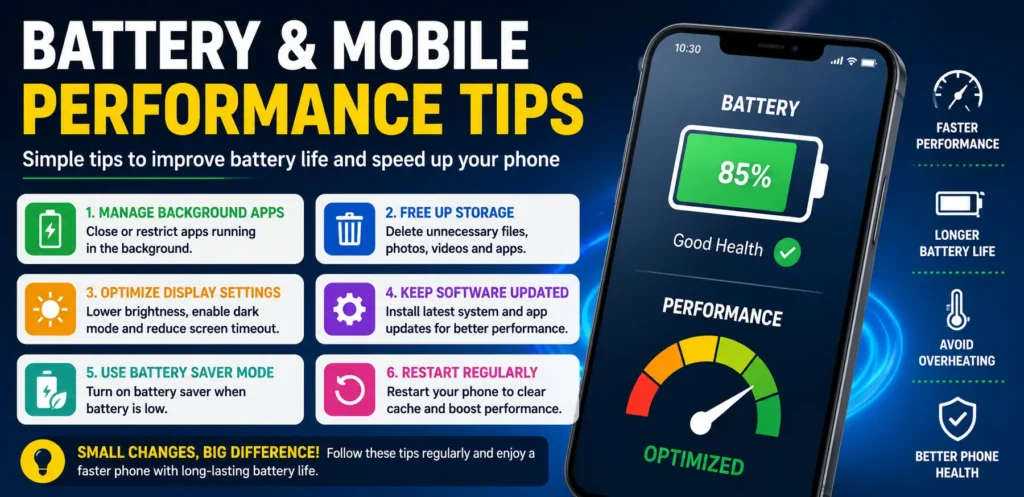
Step-by-Step Solutions
Reduce Background Activity
Check Running Apps
Go through the apps installed on your phone and remove the ones you rarely use. Many apps silently run in the background even when you do not open them regularly.
On Android:
- Open Settings
- Go to Battery or Apps
- Restrict background activity for unnecessary apps
On iPhone:
- Open Settings
- Tap General
- Select Background App Refresh
- Disable it for unused apps
Turn Off Unnecessary Notifications
Constant notifications wake up the screen and consume battery power. Disable alerts from apps that are not important.
This also helps reduce distractions throughout the day.
Free Up Storage Space
Delete Unused Files
Remove:
- Duplicate photos
- Old videos
- Downloaded documents
- Unused screenshots
Cloud storage services can help save important files without filling device storage.
Uninstall Heavy Apps
Some apps use large amounts of storage and system resources. If you rarely use certain games or editing apps, uninstall them temporarily.
A lighter phone usually performs better.
Optimize Display Settings
Lower Screen Brightness
Keeping brightness at 100% all the time drains the battery quickly. Use adaptive brightness or manually lower it indoors.
Use Dark Mode
Dark mode can save battery on OLED and AMOLED displays. It also reduces eye strain during nighttime use.
Most modern phones support system-wide dark mode.
Reduce Screen Timeout
Set screen timeout to 30 seconds or 1 minute instead of several minutes. This prevents unnecessary battery drain.
Keep Your Software Updated
Install System Updates
Phone manufacturers release updates to:
- Improve performance
- Fix battery bugs
- Increase security
- Improve app compatibility
Always install trusted software updates when available.
Update Apps Regularly
Old app versions may contain bugs that consume extra battery or cause crashes. Updating apps ensures smoother performance.
Use Battery Saver Modes
Most smartphones include built-in battery-saving features.
Battery Saver Mode usually:
- Reduces background activity
- Lowers performance slightly
- Limits visual effects
- Extends battery life
Use this feature during travel or when battery percentage gets low.
Restart Your Phone Regularly
Many users rarely restart their phones. Restarting clears temporary system processes and refreshes memory usage.
A simple restart once every few days can noticeably improve performance.
Advanced Fixes
Clear Cache Files
Apps create temporary cache files to load faster. Over time, these files can become large or corrupted.
On Android:
- Open Settings
- Go to Storage
- Select cached data or app storage
- Clear cache
Avoid clearing important app data unless necessary.
Disable Animations
Fancy animations can slow down older devices.
On Android:
- Enable Developer Options
- Reduce animation scales
This makes the interface feel faster and more responsive.
Check Battery Health
Battery health affects overall performance.
On iPhone:
- Go to Settings
- Tap Battery
- Select Battery Health
If battery capacity is very low, replacement may improve both speed and battery life.
Some Android brands also provide battery health information through device care settings.
Avoid Overheating
Heat damages battery health and slows down processors.
Common overheating causes:
- Gaming while charging
- Direct sunlight exposure
- Heavy multitasking
- Poor-quality chargers
If your phone becomes hot frequently, remove the case temporarily and stop heavy usage until it cools down.
Factory Reset as a Last Option
If your phone remains extremely slow after trying everything else, a factory reset may help.
Before resetting:
- Backup photos and contacts
- Save important files
- Remember account passwords
A clean reset removes hidden software problems and unnecessary clutter.
Tips to Prevent the Issue
Avoid Charging Overnight Regularly
Keeping the battery at 100% for long hours may reduce long-term battery health. It is better to unplug the phone once fully charged when possible.
Use Original Chargers
Cheap or fake chargers can damage the battery and create overheating problems. Always use trusted charging accessories.
Keep Apps Under Control
Do not install too many unnecessary apps. Every app uses some amount of storage, battery, and memory.
Review installed apps every few months.
Protect Your Phone From Heat
High temperatures are harmful to smartphone batteries.
Avoid:
- Leaving the phone inside hot cars
- Using it under direct sunlight for long periods
- Covering ventilation while charging
Restart and Clean Regularly
Simple habits like restarting the phone, clearing storage, and updating apps help maintain smooth performance over time.
Preventive care is easier than fixing serious issues later
FAQs
Why is my phone battery draining so fast?
Fast battery drain usually happens because of background apps, high brightness, poor signal strength, outdated software, or aging batteries. Checking battery usage settings can help identify the cause.
Does dark mode really save battery?
Yes, dark mode can save battery on phones with OLED or AMOLED displays because dark pixels use less power than bright ones.
How often should I restart my phone?
Restarting your phone once every few days is a good habit. It clears temporary processes and helps improve performance.
Is fast charging harmful to batteries?
Modern phones are designed for fast charging, but excessive heat during fast charging may affect battery health over time. Using certified chargers helps reduce risks
Will deleting apps improve phone speed?
Yes, removing unused apps can free storage space, reduce background activity, and improve overall performance.\
Conclusion
Battery and performance problems are common, but they are usually fixable without buying a new phone. Simple changes like reducing background activity, freeing storage, updating software, and optimizing display settings can make a noticeable difference.
Good charging habits and regular maintenance also help extend battery life and keep your device running smoothly for years. Small improvements added together often create the biggest results.
By following these battery & mobile performance tips, you can enjoy a faster, more reliable smartphone experience every day.
